Chamet Beans, Diamonds and Earnings: Read the Labels Carefully
By Chamet Agents editorial team · Reviewed October 26, 2026
A virtual-item balance, a displayed earnings figure and a withdrawable amount may describe different things. Learn which definitions to verify before converting a Chamet screenshot into a cash estimate.

In this article
Start with the exact screen label
Write down the name of the balance, the account role and the reporting period. Do not treat a gift animation, purchase price or activity total as the same as payable earnings. Read the current explanation in the app and ask support when two screens use similar wording for different amounts.
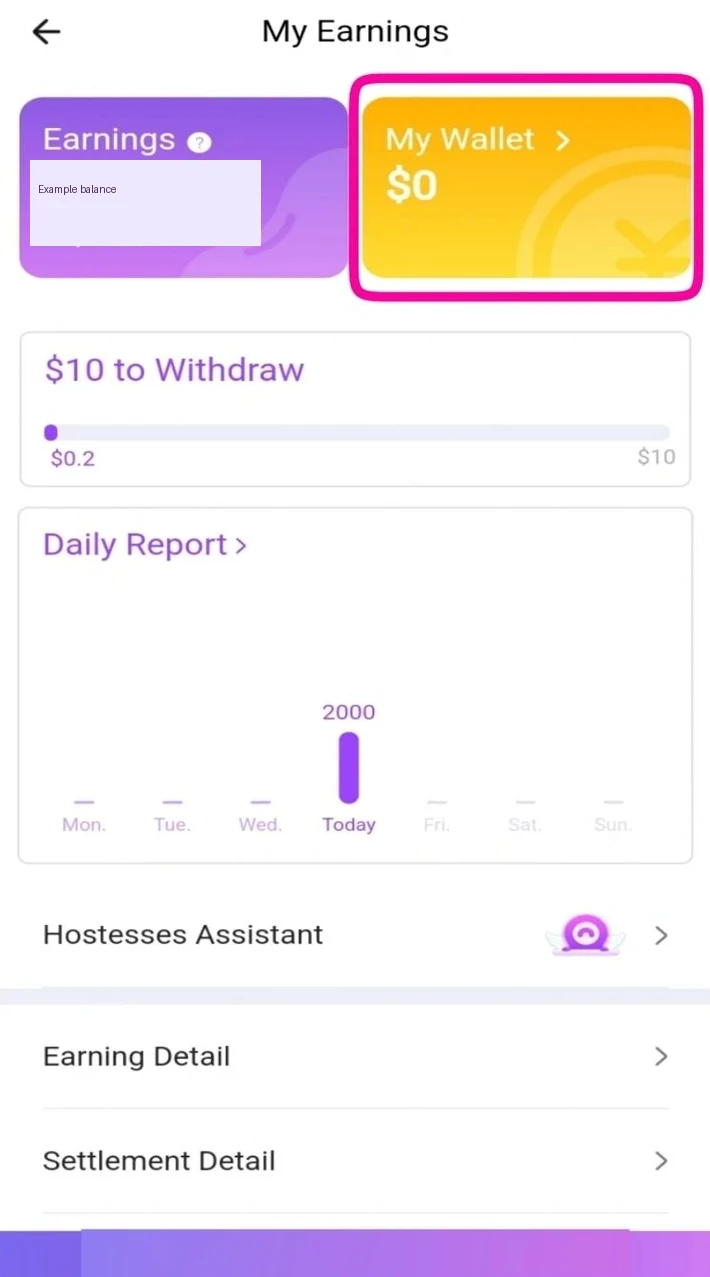
Adapted from public Chamet guide screenshots. Example interface; labels and options may differ. Tap to enlarge.
Check conversion assumptions separately
An online conversion example may omit fees, adjustments, eligibility or a changing rate. Ask which rule applies to your account and where it is documented. Avoid publishing a fixed cash conversion from another website unless the current platform information supports it for the same situation.

Official Chamet store promotional preview; available features and appearance may vary. Tap to enlarge.
Keep a record of the full context
For your own review, note the date, currency and status alongside the amount. Redact account and payment details before sharing a screenshot. If you compare figures over time, use the same balance type and period. Clear labels make a discussion more useful than a larger number without a definition.
Does a displayed virtual balance guarantee that amount can be withdrawn?
Do not assume so. Verify the current withdrawal eligibility, conversion basis, status and applicable adjustments for the account.
This is independent preparation guidance. App controls, eligibility and commercial arrangements can change. Confirm account-specific requirements in the current app or through the developer’s verified support channels. Keep passwords and one-time codes private.
Continue with a related guide
Payments and withdrawals overview →
Reference information
For the product description and developer contact details, check Chamet’s Google Play listing. Review the service terms and privacy policy linked by the developer for platform requirements and data practices.
Explore the next question
Choose a focused guide for the step you are working on today.