BLOG / Agency Management & Recruitment
Check a Chamet Agency Invitation Link Before Sharing It
By Chamet Agents editorial team · Reviewed October 26, 2026
An invitation link should lead applicants to the intended verified process. Check its destination and explanation before adding it to a recruitment message or sending it to a prospective host.

In this article
Verify the source and destination
Obtain the link through the platform’s current agency tools or another verified route. Read the domain carefully and check where the link lands. A shortened address hides context, so explain the destination clearly. Do not modify identifiers or append personal details unless the platform specifically instructs you to do so.
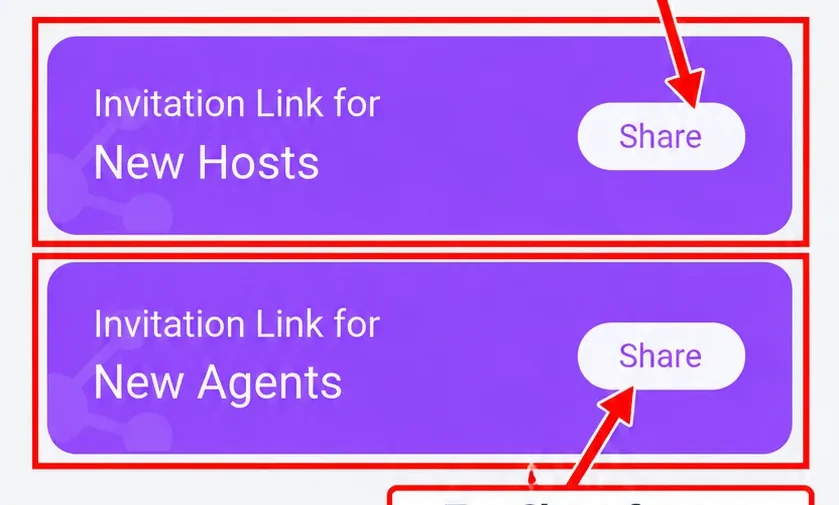
Adapted from public Chamet guide screenshots. Example interface; labels and options may differ. Tap to enlarge.
Explain the intended account route
Tell the applicant what the invitation is for and which role it relates to. Ask them to resolve questions about existing accounts before submitting a new form. Avoid claims that clicking the link alone guarantees approval, account binding or a payment arrangement. Those details depend on current platform rules and account status.
Keep published references current
Maintain a list of places where you share the link. When the official process changes, update those references and retire outdated instructions. If someone reports an unexpected destination, pause distribution while you verify it. Never ask applicants to send you a one-time code so you can finish the flow on their behalf.
Can I guarantee a link is safe because it contains the word Chamet?
No. Check the complete destination and verified source. Branding inside a URL or on a page does not establish that it is the intended platform flow.
This is independent preparation guidance. App controls, eligibility and commercial arrangements can change. Confirm account-specific requirements in the current app or through the developer’s verified support channels. Keep passwords and one-time codes private.
Continue with a related guide
Host recruitment and agency preparation →
Reference information
For the product description and developer contact details, check Chamet’s Google Play listing. Review the service terms and privacy policy linked by the developer for platform requirements and data practices.
Explore the next question
Choose a focused guide for the step you are working on today.