BLOG / Agency Management & Recruitment
Review a Chamet Agency Dashboard Without Misreading the Numbers
By Chamet Agents editorial team · Reviewed October 26, 2026
A dashboard is useful only when you understand what its figures represent. Review definitions, time periods and status changes before drawing conclusions about a host or a team.

In this article
Read the labels and date range
Check the reporting period, time zone and whether a figure is a total, an estimate or a completed amount. Note any status labels or filters. Two screenshots may look similar while covering different periods. Record these details before comparing numbers or sharing a summary with a host.
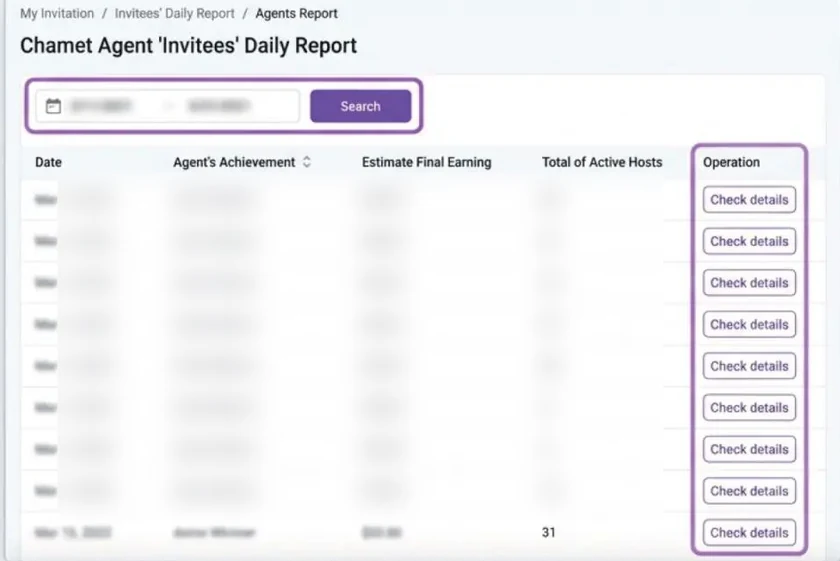
Adapted from public Chamet guide screenshots. Example interface; labels and options may differ. Tap to enlarge.
Compare like with like
Use the same time range and metric definition when reviewing trends. Separate activity, earnings and payment status instead of combining them into one score. If a figure changes, ask whether an adjustment, delayed update or filter explains it before assuming the change reflects a person’s performance.
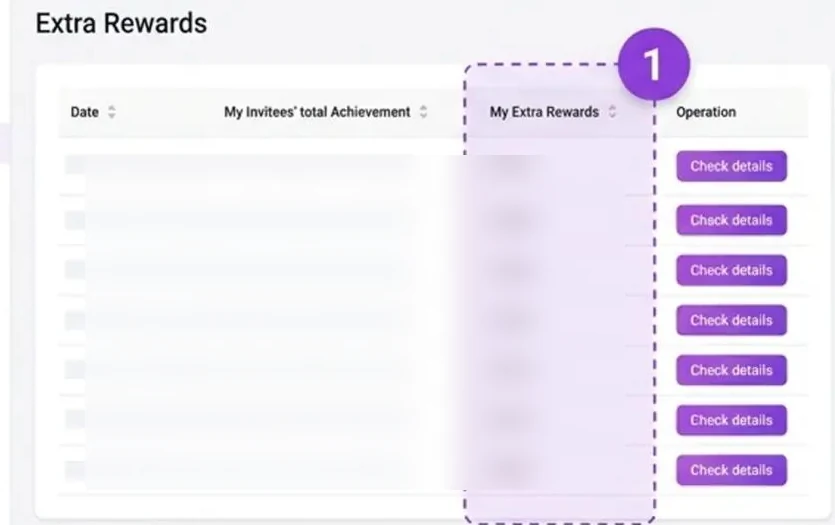
Adapted from public Chamet guide screenshots. Example interface; labels and options may differ. Tap to enlarge.
Turn the review into a clear question
Write down the specific discrepancy, the expected figure and the source of that expectation. Redact private information before sharing evidence. Ask the appropriate support contact about unexplained system values; a spreadsheet estimate should not be treated as proof that a platform report is wrong.
Can I calculate a commission from a screenshot alone?
Only when the current applicable rules, eligible amount, period and adjustments are known. A cropped total often leaves out information needed for a valid calculation.
This is independent preparation guidance. App controls, eligibility and commercial arrangements can change. Confirm account-specific requirements in the current app or through the developer’s verified support channels. Keep passwords and one-time codes private.
Continue with a related guide
Host recruitment and agency preparation →
Reference information
For the product description and developer contact details, check Chamet’s Google Play listing. Review the service terms and privacy policy linked by the developer for platform requirements and data practices.
Explore the next question
Choose a focused guide for the step you are working on today.